Kapitech is a budget and debt payoff app for iPhone that doesn't connect to your bank. There's nothing to link and no account to create. You add your expenses yourself, and the app does the rest.
- No bank login, no Plaid, no bank sync of any kind.
- No account. No email, no password.
- Budget, expenses and debt payoff in one app, with snowball, avalanche or your own order and a debt-free date.
- Your amounts, names and notes stay on your iPhone.
- Free with unlimited expenses, 1 budget, 1 goal and 3 debts. Pro is optional, monthly, annual or a one-time lifetime purchase.
Why people skip bank sync
Most budget apps start by asking for your bank login. Plenty of people stop right there, and the reasons are usually practical.
- You don't want to hand over your bank password. Bank sync goes through a third party that stores a connection to your accounts. Some people are fine with that, some aren't.
- Your bank isn't supported. Sync services cover big US and UK banks well and a lot of other countries badly, or not at all.
- Sync breaks. Connections expire, transactions show up twice or days late, and you end up fixing the import instead of looking at your money.
- You want to notice what you spend. Typing an expense makes you look at it. That's the point of a budget for a lot of people.
The honest trade-off
Without bank sync, you add each expense yourself. In Kapitech that's an amount, a category and an optional note, so it takes a few seconds. You can also say "Log an expense in Kapitech" to Siri, or run it from Shortcuts, and rent or subscriptions can repeat on their own as recurring expenses.
Still, it's manual. If you have five cards and hundreds of transactions a month and you want them all categorised for you, a bank-sync app will suit you better, and that's fine. Kapitech is for people who'd rather spend 2 minutes a day on their budget than give a service access to their accounts.
How Kapitech works
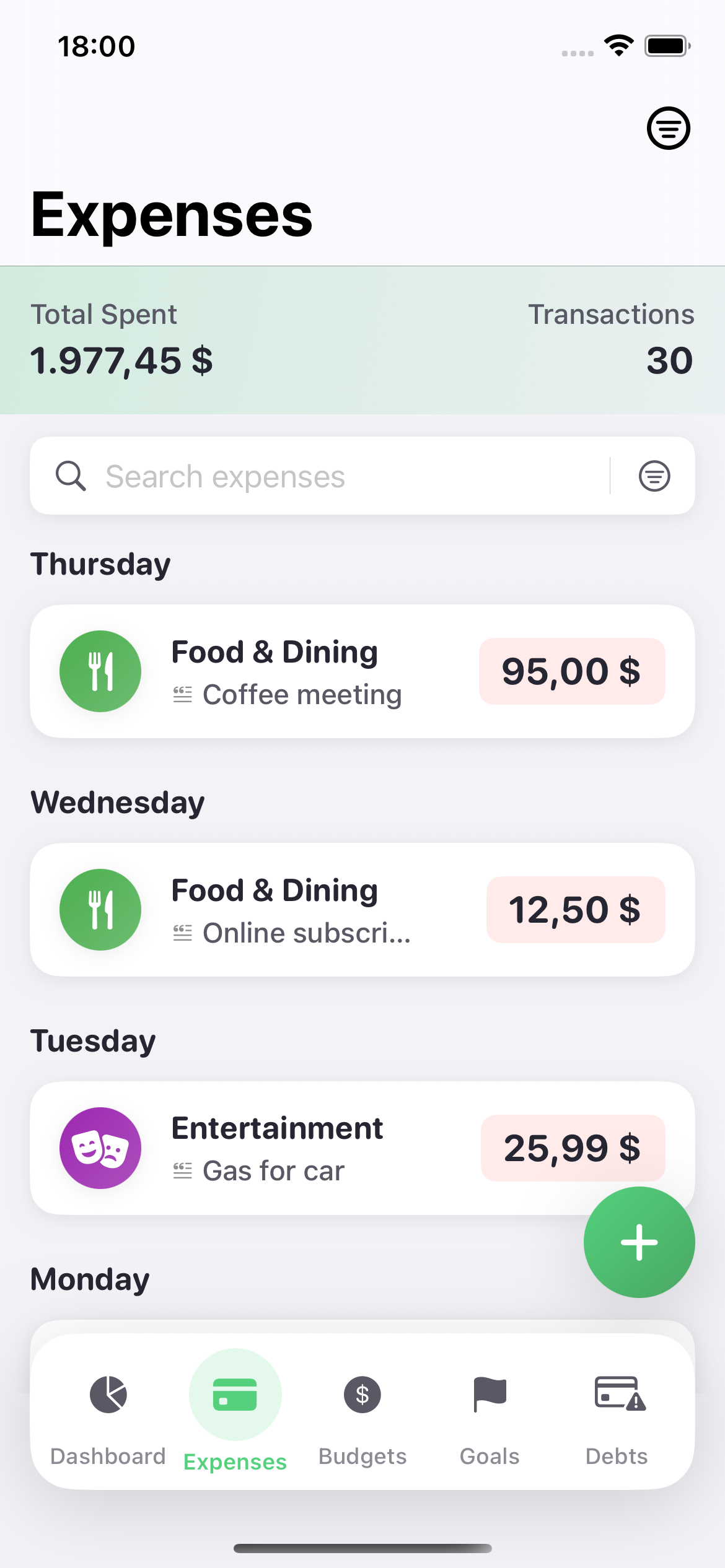
- Expenses: add one in a few taps, with categories you can change, and see where the month went.
- Budget: set a monthly budget by category and see what's left as you go.
- Debts: add your balances, rates and minimums, pick snowball, avalanche or your own order, and get a debt-free date. A home screen widget shows that date.
- Language and currency: English and Croatian, 24 currencies.
If you want to see what a payoff plan looks like before you install anything, the debt payoff calculator runs in your browser and compares both methods on your own numbers. The snowball vs avalanche article explains the difference with a worked example.
What leaves your phone
Your amounts, names and notes stay on your device, not on our servers. The app sends anonymous usage events and crash reports so we can fix problems, and those never include amounts, names or notes. There's no account, so there's nothing on our side tied to you. The privacy policy lists exactly what goes where.
One thing to know: there's no sync between devices, so your data lives on the iPhone you use it on.
Questions
Can I use Kapitech without connecting my bank?
Yes. Kapitech has no bank connection at all. It never asks for your bank login and doesn't use Plaid or any other bank sync. You add expenses yourself.
Do I need an account?
No. There's no sign-up, no email and no password. You open the app and start.
Does it work outside the US?
Yes. Since nothing connects to a bank, it doesn't matter which bank or country you're in. You pick your currency from 24 options, including USD, EUR, GBP, CAD, AUD, INR and PLN, and the app is in English and Croatian.
Is Kapitech a YNAB alternative?
It is for people who want a monthly budget and a debt payoff plan without bank sync. It isn't zero-based budgeting, so if giving every dollar a job is what you love about YNAB, Kapitech will feel simpler than you want.
Can I export my data?
Yes, with Pro. Export gives you CSV, PDF or JSON files you can keep or open in a spreadsheet.
Kapitech is free to download for iPhone and iPad. See it on the App Store.